How to use the Visitor Declaration function
The visitor declaration function allows you to have your guests read and agree to a document before checking in — perfect for T&Cs, safety manuals, and health and safety declarations.

The visitor declaration function allows you to have your guests read and agree to a document before checking in. The document could be the terms and conditions of your organisation, safety manual etc.
Setup Steps
Step 1: Check your plan
Visitor declarations are included in the Starter, Growth and Portfolio plans. Projects on a legacy Basic subscription keep using the Visitor Declaration add-on.
Step 2: Upload your document
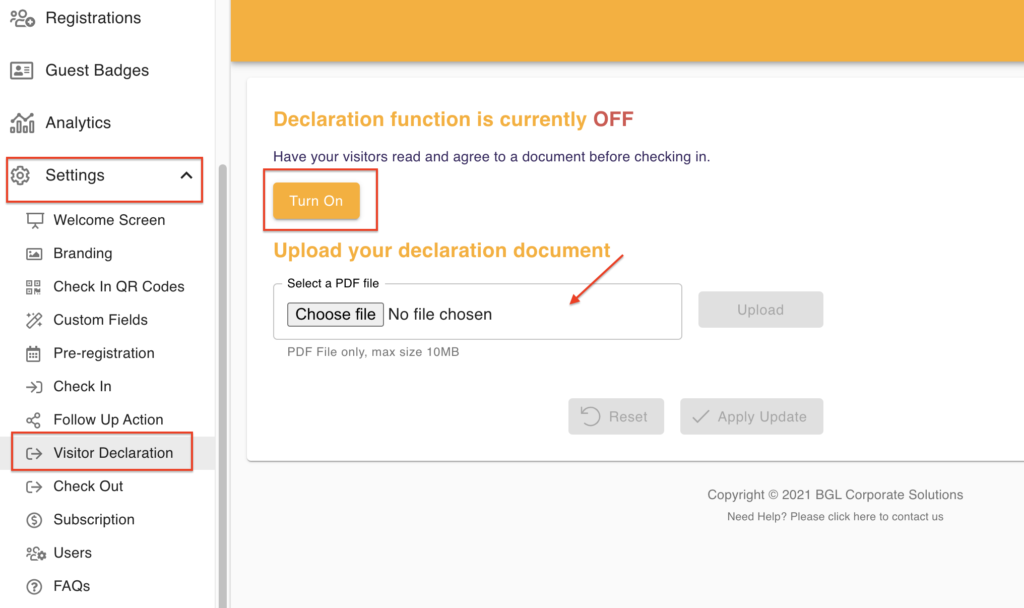
Open Check-in Setup and select Visitor Declaration. Turn on the declaration and upload your document in PDF format.
Step 3: Visitors read the document
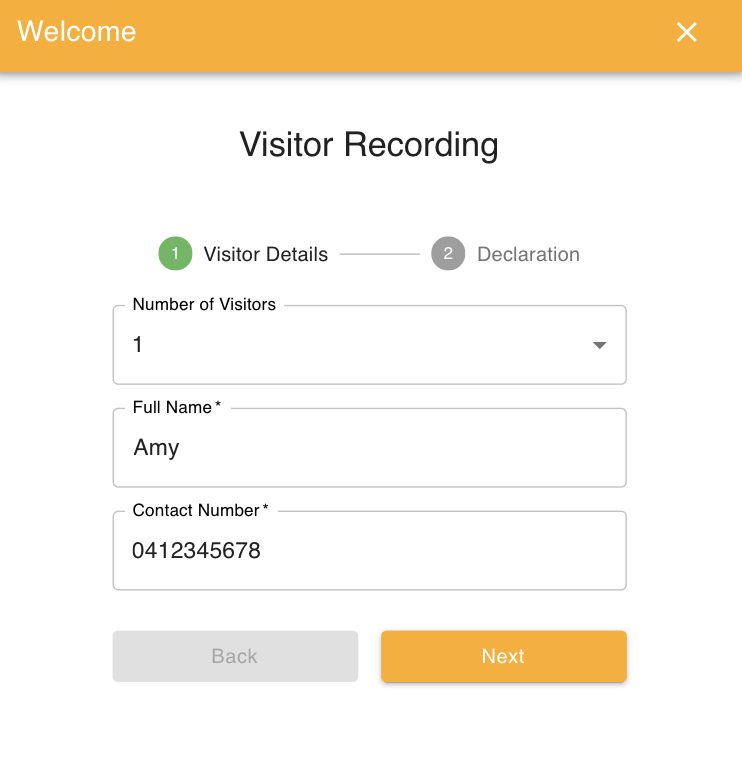
Visitor check-in will become a 2 step process - Visitors will be prompted to read the document after entering their check-in details.
Step 4: Visitors confirm agreement
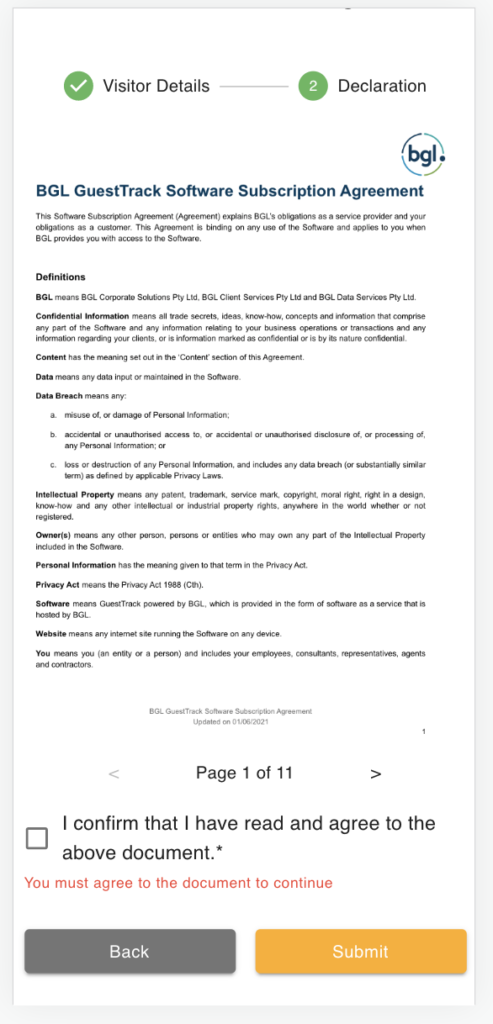
Visitors will need to check the checkbox before submitting check-in.
Use Cases
- Terms and conditions
- Safety manuals
- Health and safety declarations
- Liability waivers
- Site rules and regulations