How to Pre-register Guests
Pre-register your guests before an event so they can check in with just their mobile number on arrival — no queuing, no re-entering details.

Setup Steps
1. Turn on pre-registration
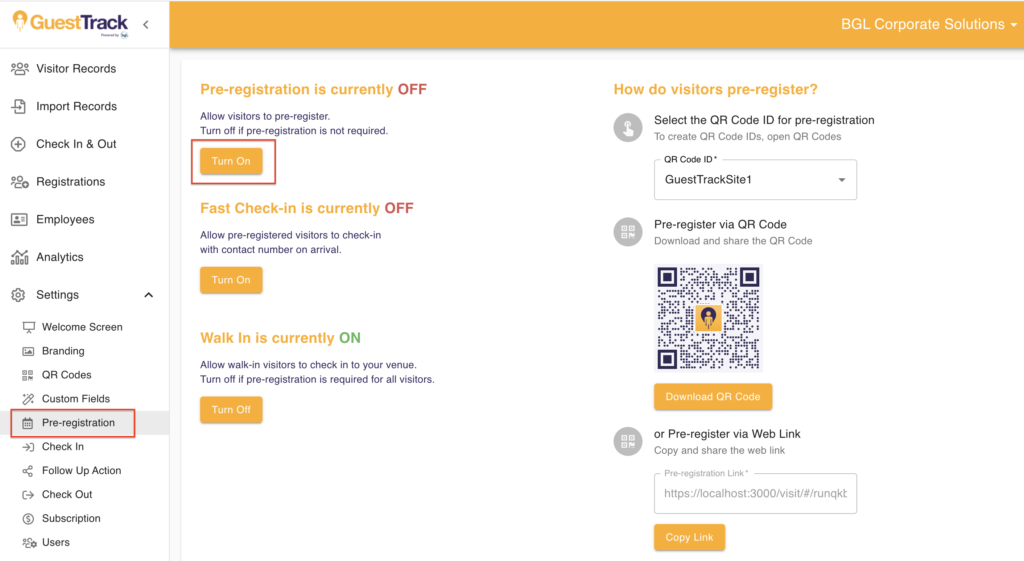
Navigate to Settings > Pre-registration. Turn on pre-registration.
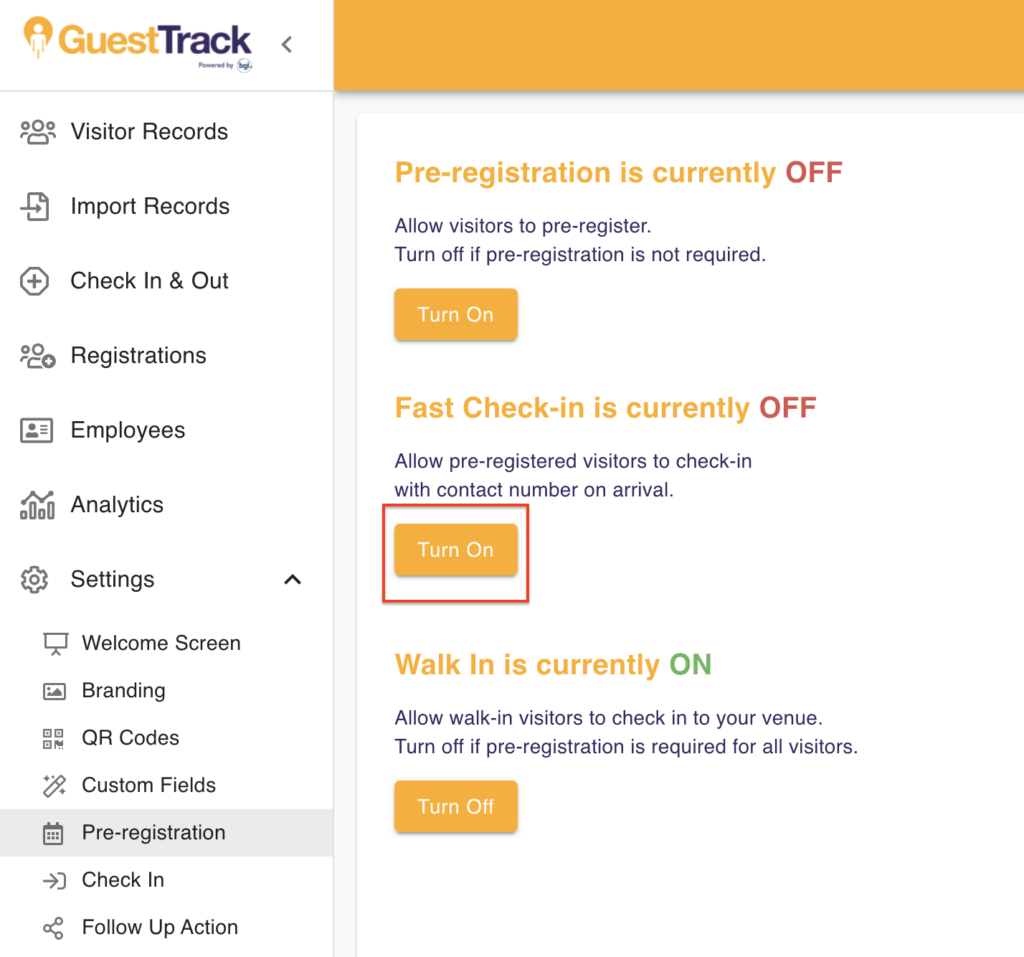
Fast Check-in
We recommend that you turn on fast check-in so that registered guests can check-in with their mobile number when they arrive, no need to enter their full details again.
2. Pre-registration QR code & Link
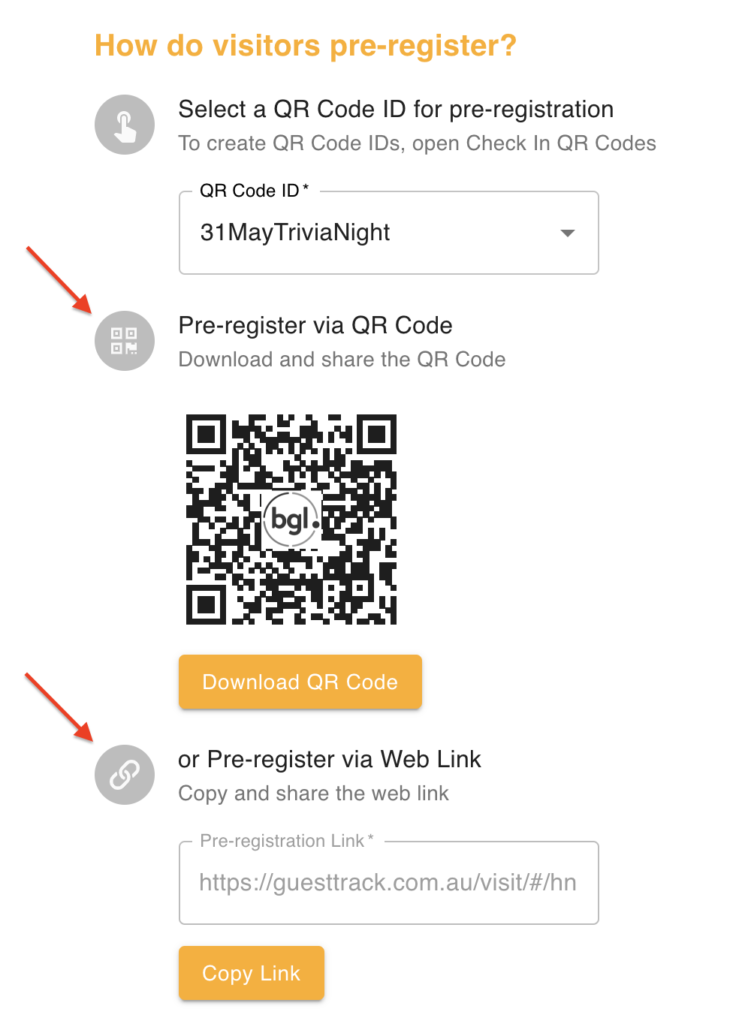
You can send the pre-registration QR code or the web link to your guests to pre-register prior to an event.
3. Present guests check-in QR code
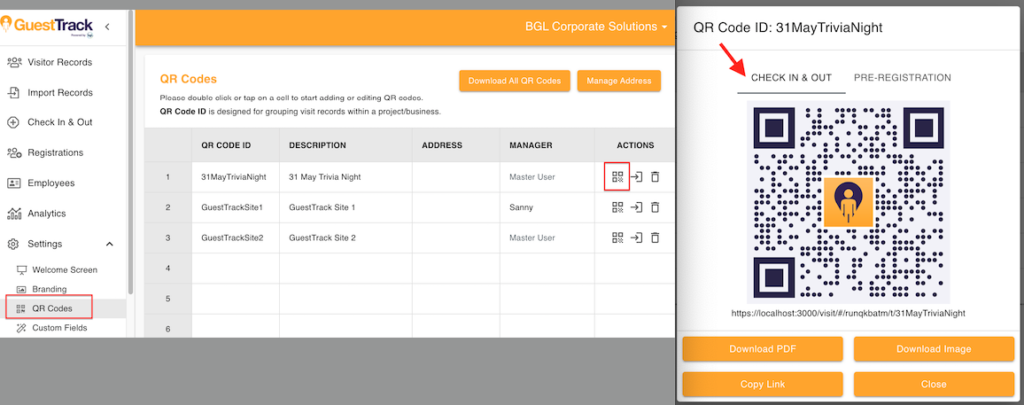
Please note a check-in QR code is different from a registration QR code. On the event day, present the check-in QR code for your guests to check-in.
4. Guests check-in with mobile number
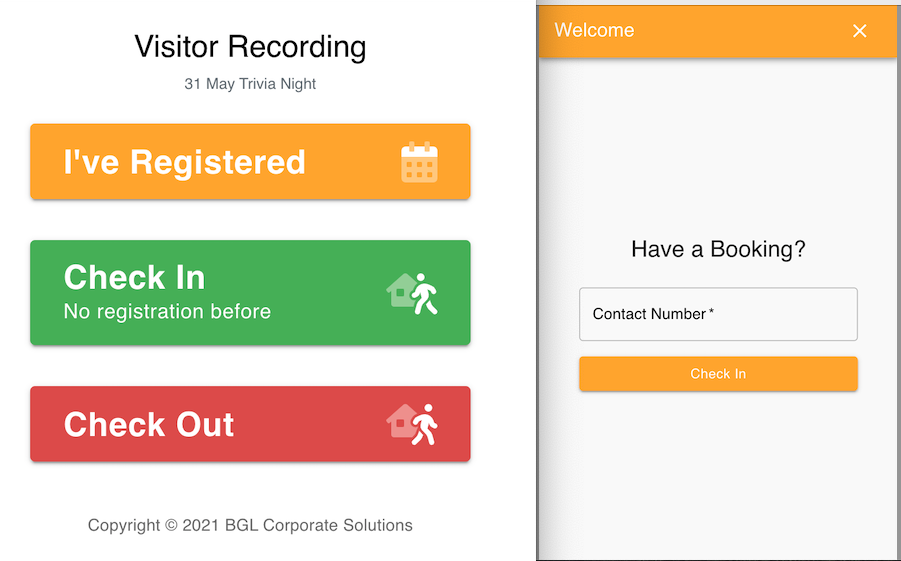
Scan the QR code, select "I've Registered", guests simply need to enter contact number to complete check-in.
Benefits
- Pre-event registration - Guests register before arriving
- Fast check-in - Enter mobile number only on arrival
- Better planning - Know attendance numbers in advance
- Smoother experience - No queuing at entrance